From Invoice to General Ledger in AccountGo
See how a sample invoice and payment flow through the general ledger and trial balance in AccountGo's open-source accounting app.
What happens in the books after you issue an invoice and record a payment? In this walkthrough, we follow one fictional $1,000 invoice through AccountGo's sales screen, general ledger, and trial balance. You can inspect the open-source project on GitHub and reproduce the example locally.
The example uses a disposable local Community workspace, a fictional client, USD, and no tax. It records a sample payment; no real money moves.
1. Issue an invoice
In Invoices & Sales, choose New invoice. Add a client, enter a description and price, then select Save & issue. We issued invoice #1 to Northstar Sample Co for $1,000 of website design services.
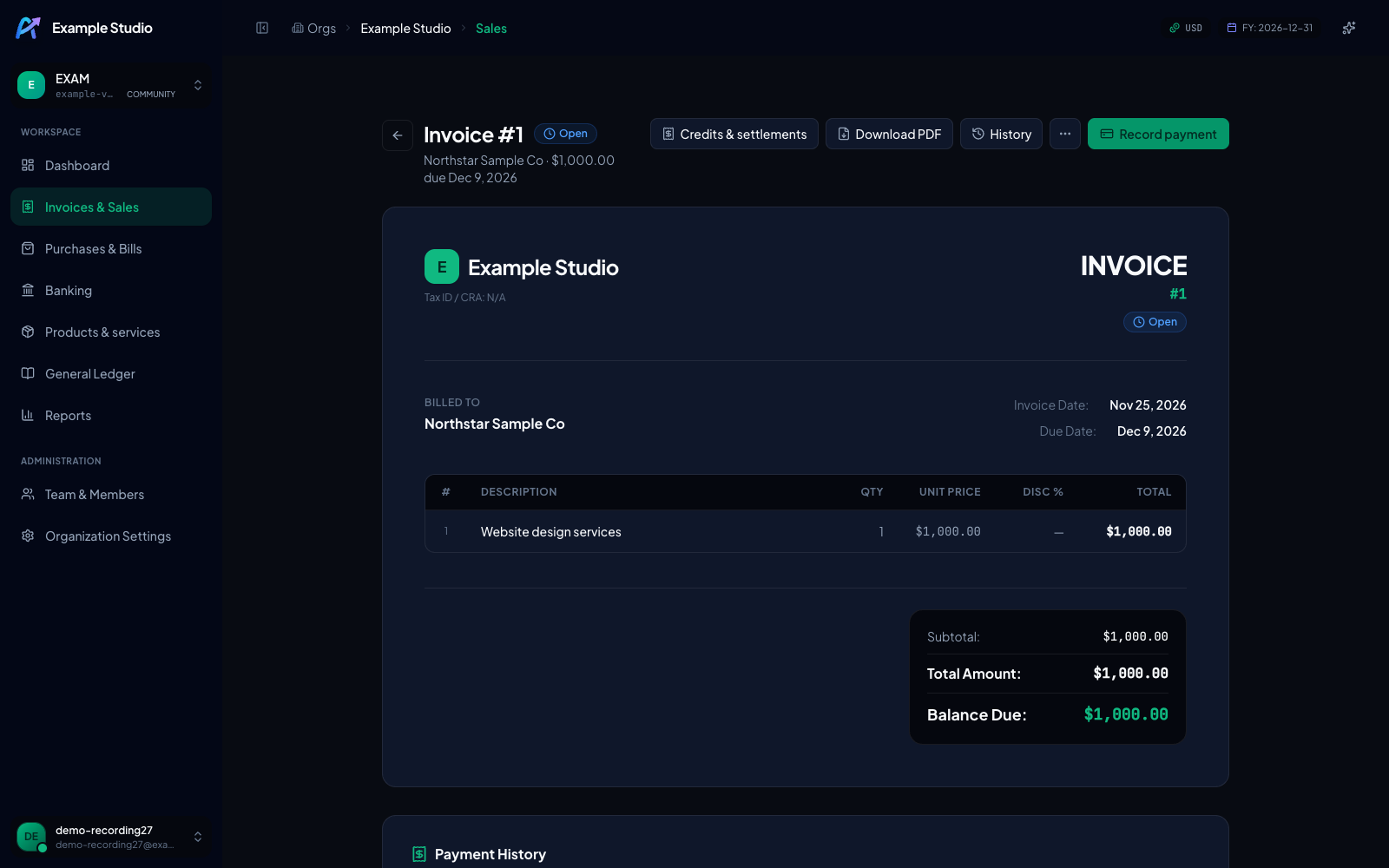
Issuing the invoice creates a balanced sales invoice transaction. In our workspace, the ledger shows:
| Account | Debit | Credit |
|---|---|---|
| 10120 Accounts Receivable | $1,000 | — |
| 40100 Sales A/C | — | $1,000 |
Receivables represent the amount owed by the client; sales records the income for this example.
2. Record the payment
Open the invoice and choose Record payment. Select Regular Checking Account, enter the payment amount and date, and confirm. We recorded the full $1,000. The invoice then showed Paid and a zero balance due.
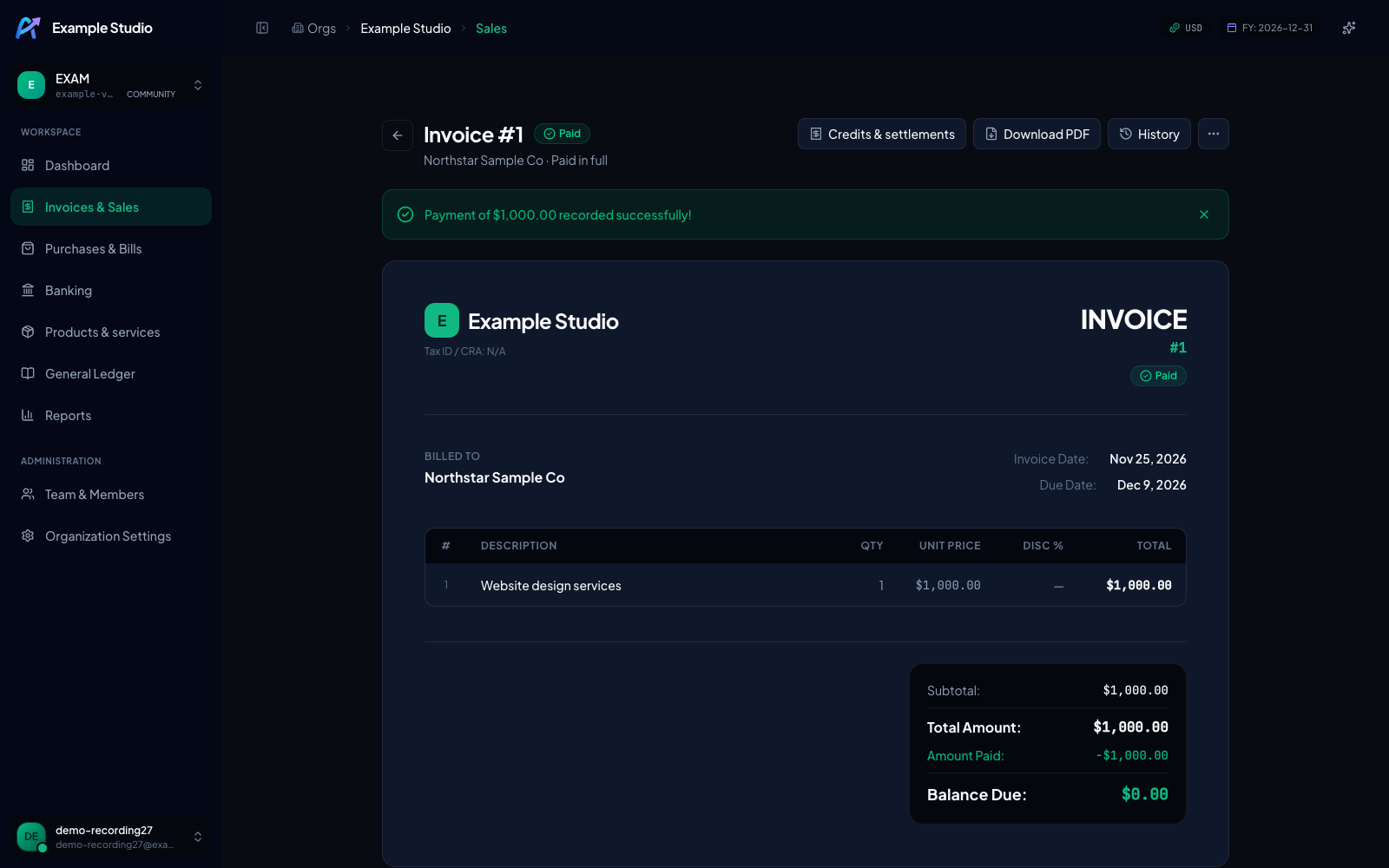
The corresponding sales receipt transaction in the general ledger is:
| Account | Debit | Credit |
|---|---|---|
| 10111 Regular Checking Account | $1,000 | — |
| 10120 Accounts Receivable | — | $1,000 |
The payment increases checking and clears the receivable. This example records a payment in the books; it is not a bank transfer or a payment-processing demonstration.
3. Trace the postings and check the trial balance
Open General Ledger and expand the sales invoice and sales receipt transactions to see their account lines. Each transaction has equal debits and credits.
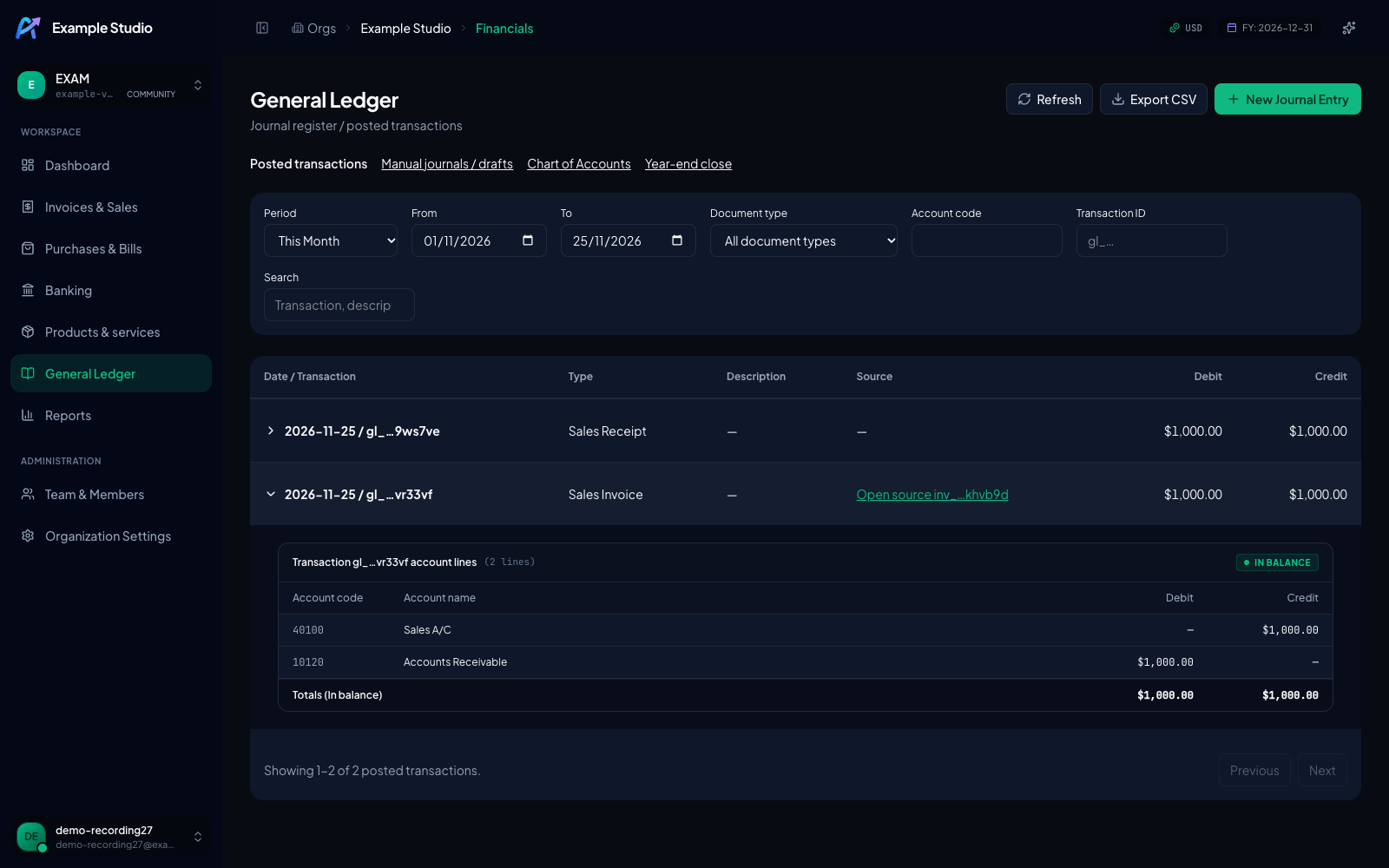
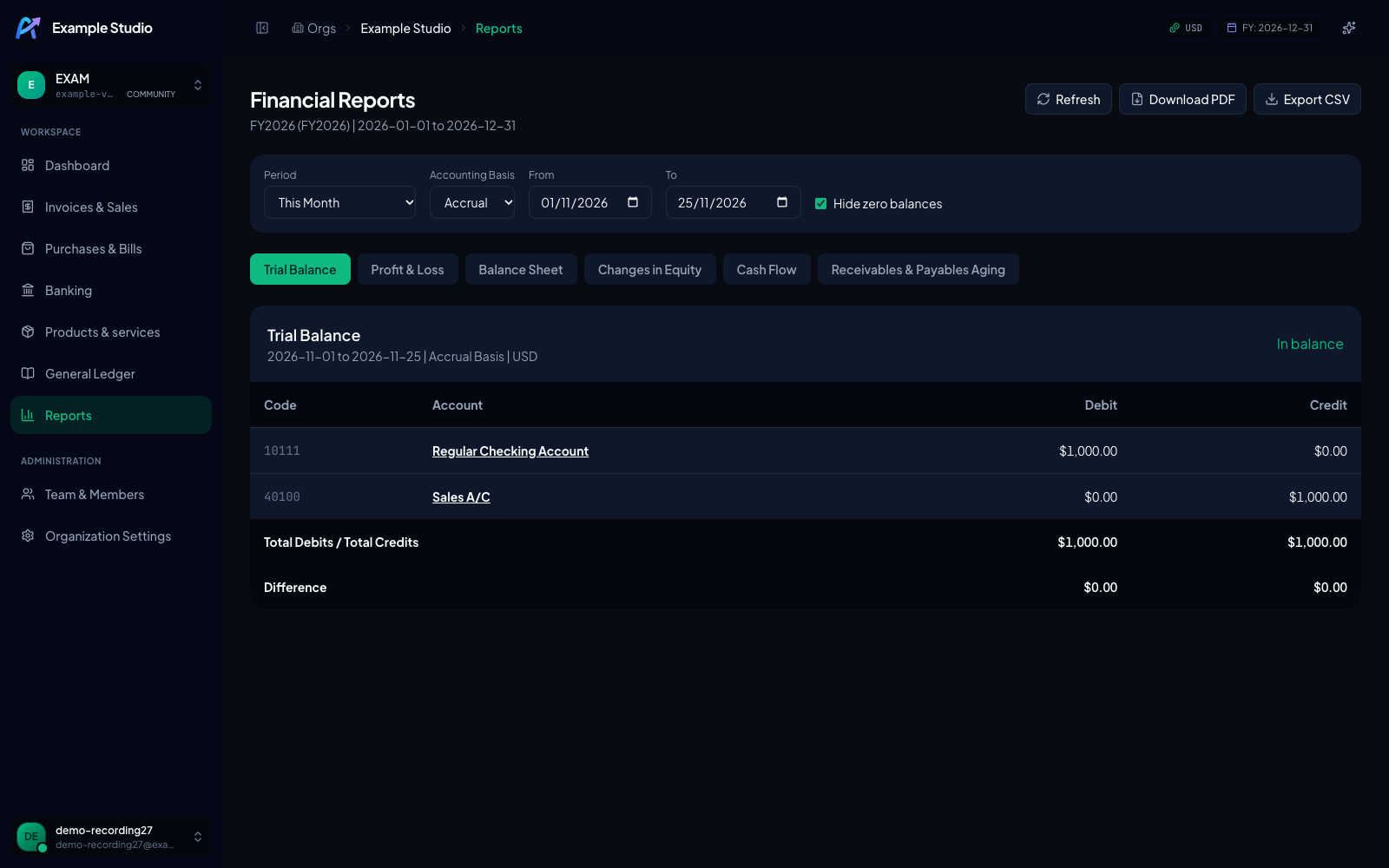
Then open Reports → Trial Balance for the relevant period. In our otherwise empty sample workspace, the accrual-basis trial balance shows a $1,000 debit in checking and a $1,000 credit in sales. The total difference is $0. Receivables net to zero after full payment and are hidden by the report's zero-balance filter.
Try it locally
The AccountGo README includes a coding-agent quick start and links to manual local development instructions. In the local setup used here, we created a Community workspace, granted the workspace owner operational access, and entered the sample data ourselves. A new workspace did not automatically contain this example.
Explore the source code on GitHub. If AccountGo is useful to you, consider starring the repository and sharing feedback about your setup experience.
For developers, explore the sales API, financials API, and sales invoice model.