Invoice statuses that stay visible
Each invoice shows whether it is a draft, open, partially paid, paid, overdue, or void, so you know which clients still owe you.
Create invoices with tax rates on each line, email them with a PDF, send reminders, and track vendor bills with due dates. Start free, then upgrade when volume or team size grows.
Grounded in the screens AccountGo ships today: statuses, PDF email, reminders, line tax rates, and bill tracking.
Each invoice shows whether it is a draft, open, partially paid, paid, overdue, or void, so you know which clients still owe you.
Email an invoice with a link to its PDF, attach the PDF, and send a reminder when it is still unpaid. AccountGo records payments you receive; it does not process card or bank payments.
Apply tax rates on invoice and bill lines when you create them, so totals match what you send clients and what vendors charge you.
Record vendor bills with due dates, approve them, and log each payment you make. You can see the balance still owed on every bill.
Three steps to start billing clients and tracking the bills you need to pay.
Name your business, pick its base currency, and start on Invoicing Free with no credit card.
Create invoices, email the PDF, and record payments as money arrives.
Enter vendor bills, approve them, and log payments so outstanding balances stay in view.
Real AccountGo screens with fictional demo data.
Actual AccountGo screens with fictional example data. Names and figures are not customer results.
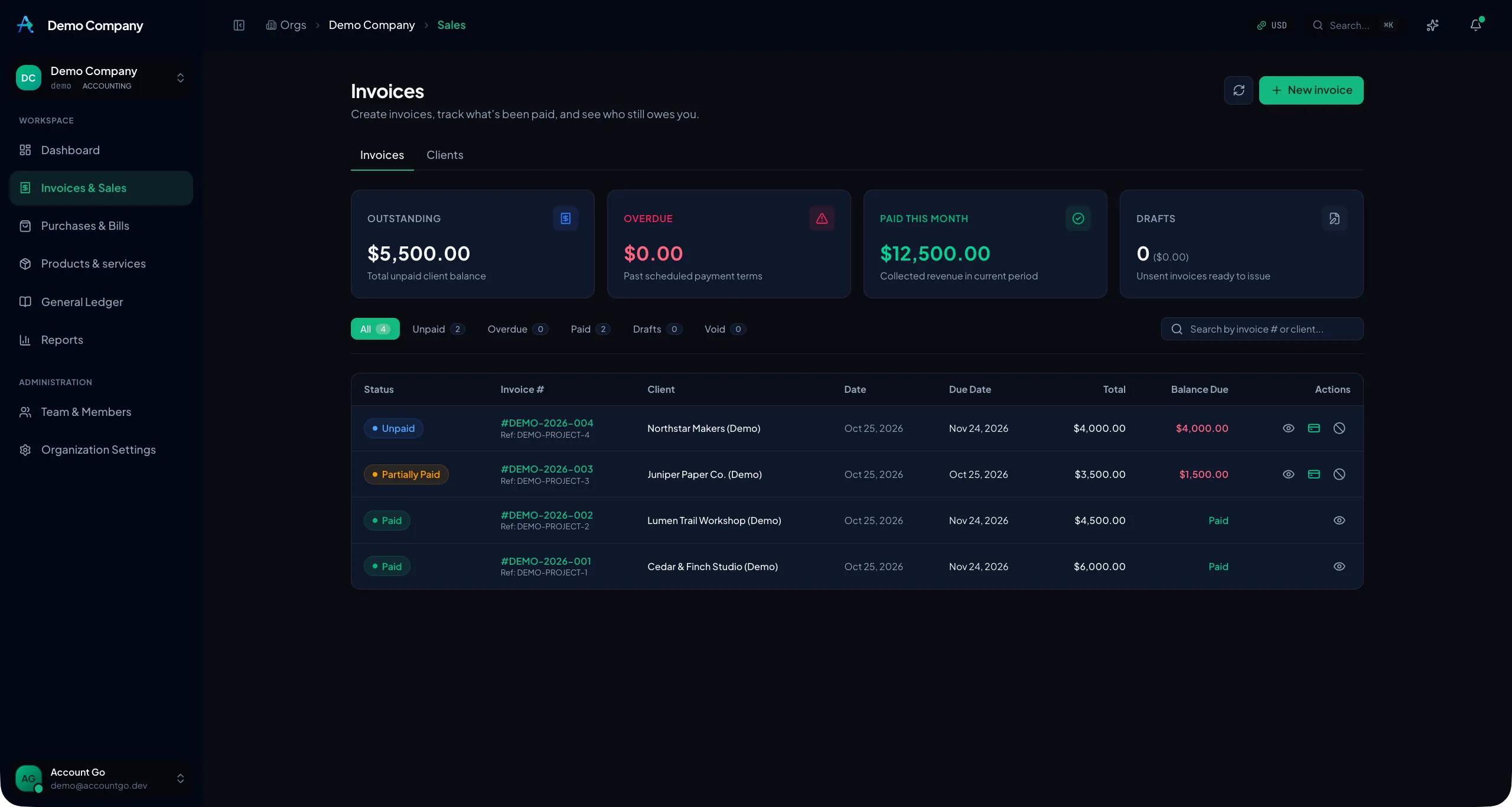
See paid, partially paid, and unpaid invoices alongside each client's remaining balance.
Actual product screenshot · Select image to enlarge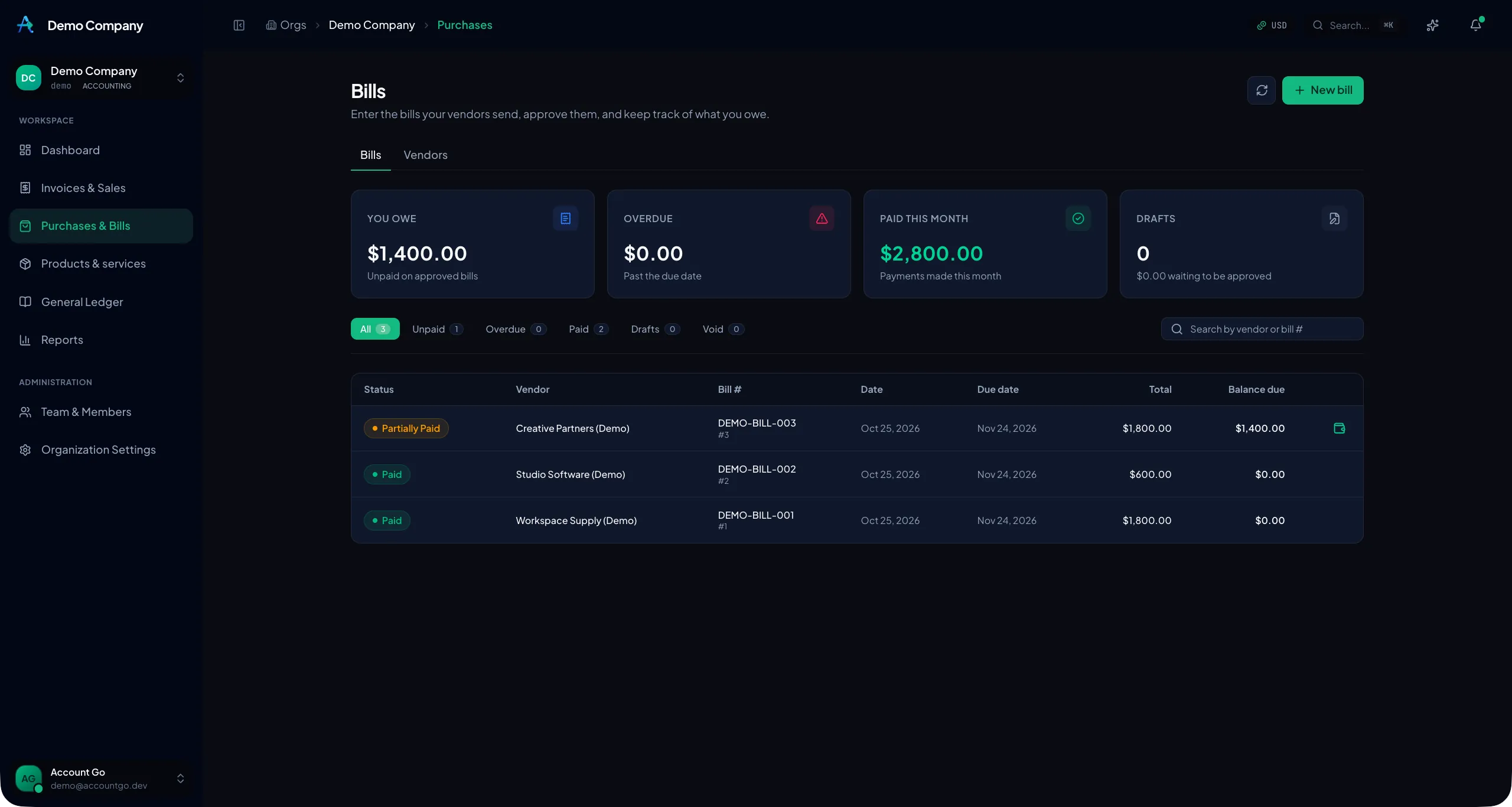
Review vendor bills, due dates, and recorded payments without losing sight of the balance still owed.
Actual product screenshot · Select image to enlargeStart free with monthly document limits, then upgrade for unlimited invoices, branding, seats, and delivery options.
For freelancers and micro-businesses getting started.
Essential client invoicing and vendor bill tracking with generous monthly creation limits and no credit card required.
For freelancers and independent contractors needing unlimited invoicing without watermarks.
Unlimited invoices and bills with white-label branding, logo customization, payment links, and advance security with MFA & Passkeys.
For agencies and small businesses needing multi-user billing, custom domains, and workflows.
Everything in Solo plus 3 included team member seats, custom email domain delivery, and banking statement import.
All prices in USD. See the full pricing page for quotas, add-ons, and the comparison matrix.
Direct answers on free limits, Solo vs Team, email delivery, and when to add Accounting.
AccountGo Invoicing & Bills is online invoicing software for freelancers, contractors, and small businesses. It covers clients, invoices, emailed PDF delivery, reminders, vendors, bills, tax rates on lines, and recording payments you receive or make.
Yes. Invoicing Free is $0/month with no credit card required. It includes up to 10 sales invoices and 10 vendor bills per calendar month, 1 user (owner only), and 30 AI/MCP calls per month.
Invoicing Solo ($10/mo or $100/yr) is for freelancers who need unlimited invoices, white-label branding, and advance security with MFA and Passkeys. Invoicing Team ($15/mo or $150/yr) adds 3 user seats, custom email domain delivery, and bank statement import.
Yes. You can email an invoice with a link to its PDF, attach the PDF, and send a reminder for an unpaid invoice. AccountGo records the payments you receive; it does not process card or bank payments.
Stay on Invoicing & Bills if you mainly need to invoice clients and track vendor bills. Move to Accounting when you also want a chart of accounts, journal entries, a general ledger, and financial statements such as profit and loss, balance sheet, trial balance, and cash flow.
No. AccountGo records payments you receive and payments you make. It does not process card or bank payments.